Your tools
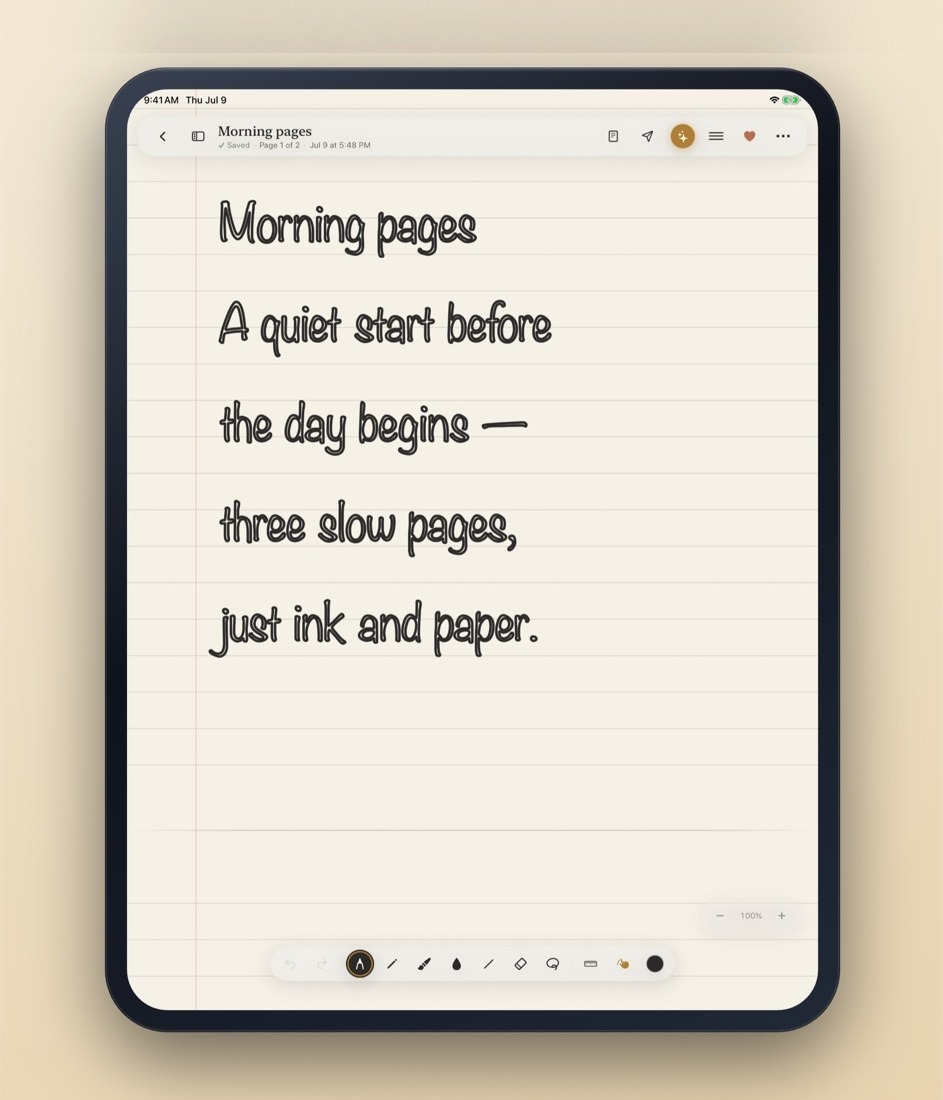
The whole kit, at your pencil's tip.
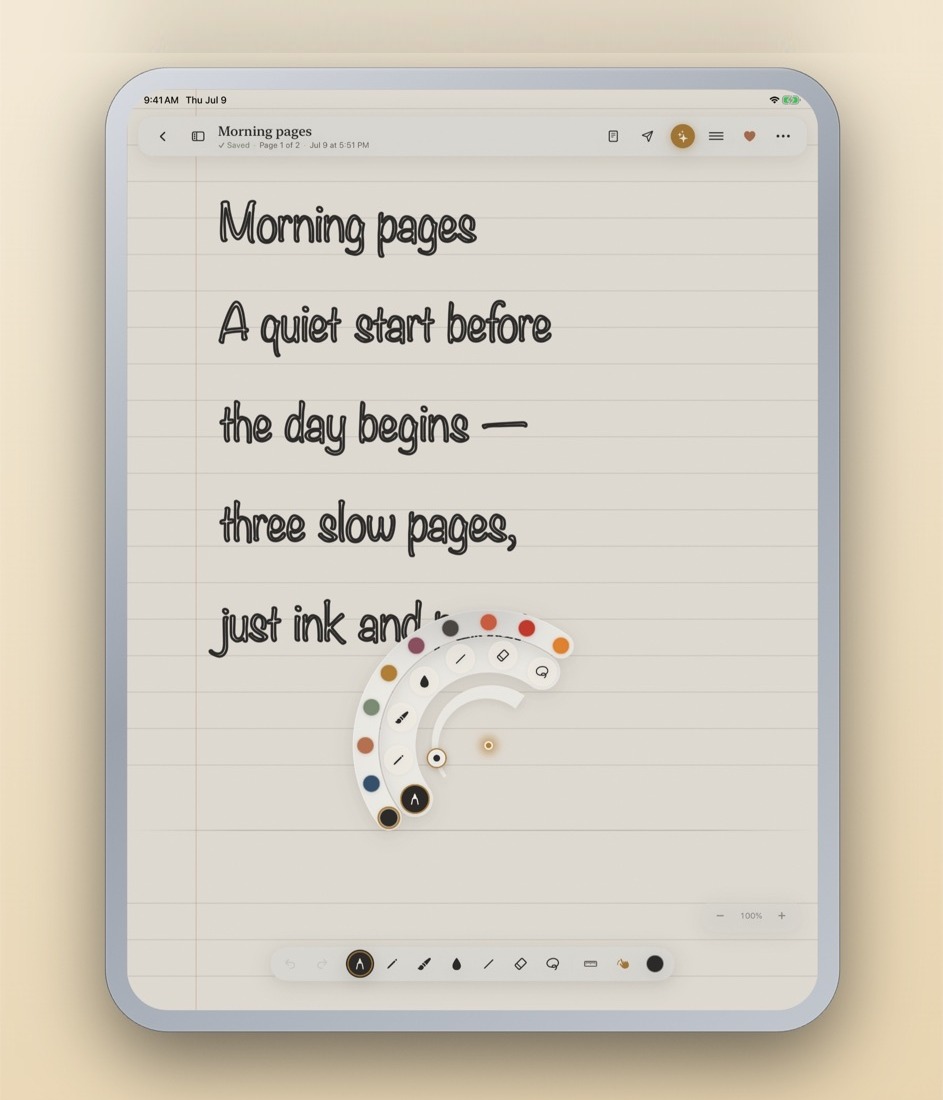
Squeeze the Pencil and the palette comes to you — three arcs radiating from the tip for thickness, tools and colour, opening into whichever quadrant your hand isn't in.
Every tool keeps its own colour, so switching pens never costs you the one you were using. Pen, pencil, highlighter, watercolour, shape, eraser, lasso.
Your library
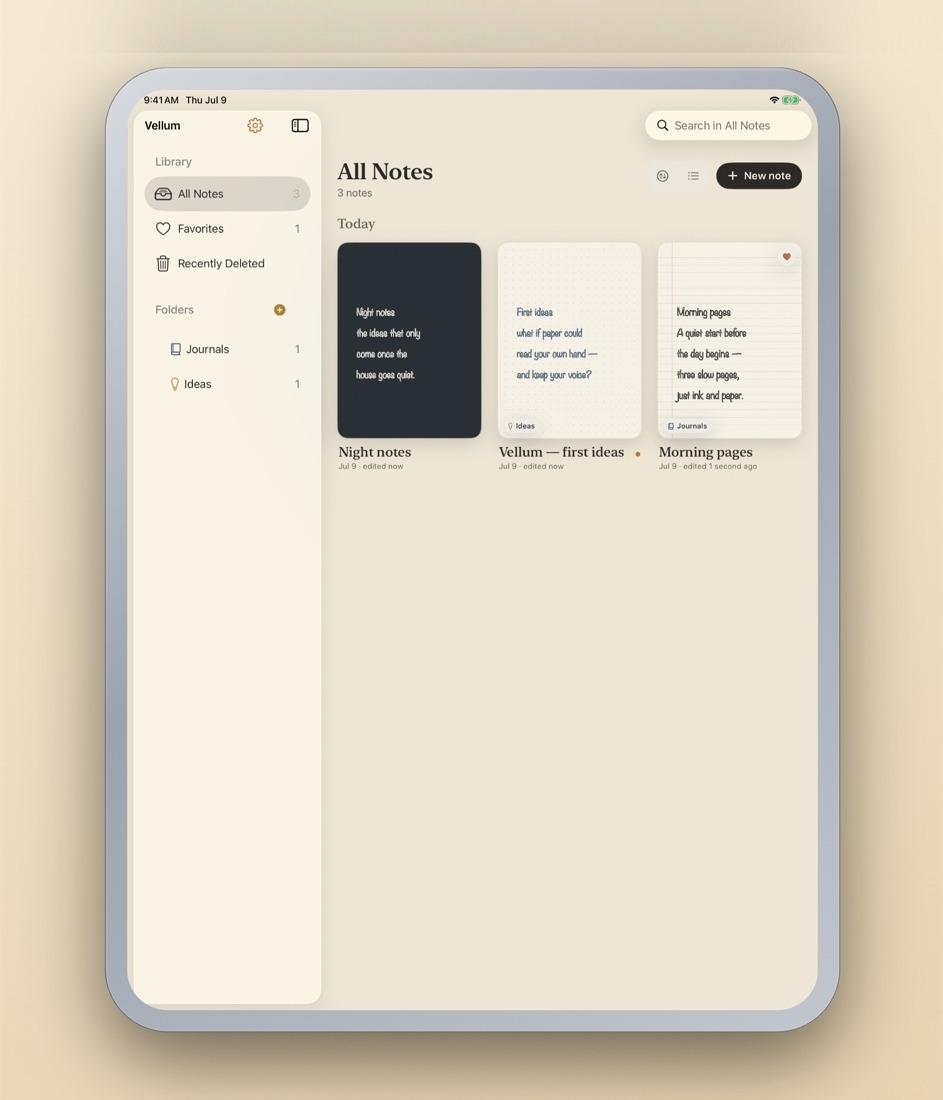
Every page, right where you left it.
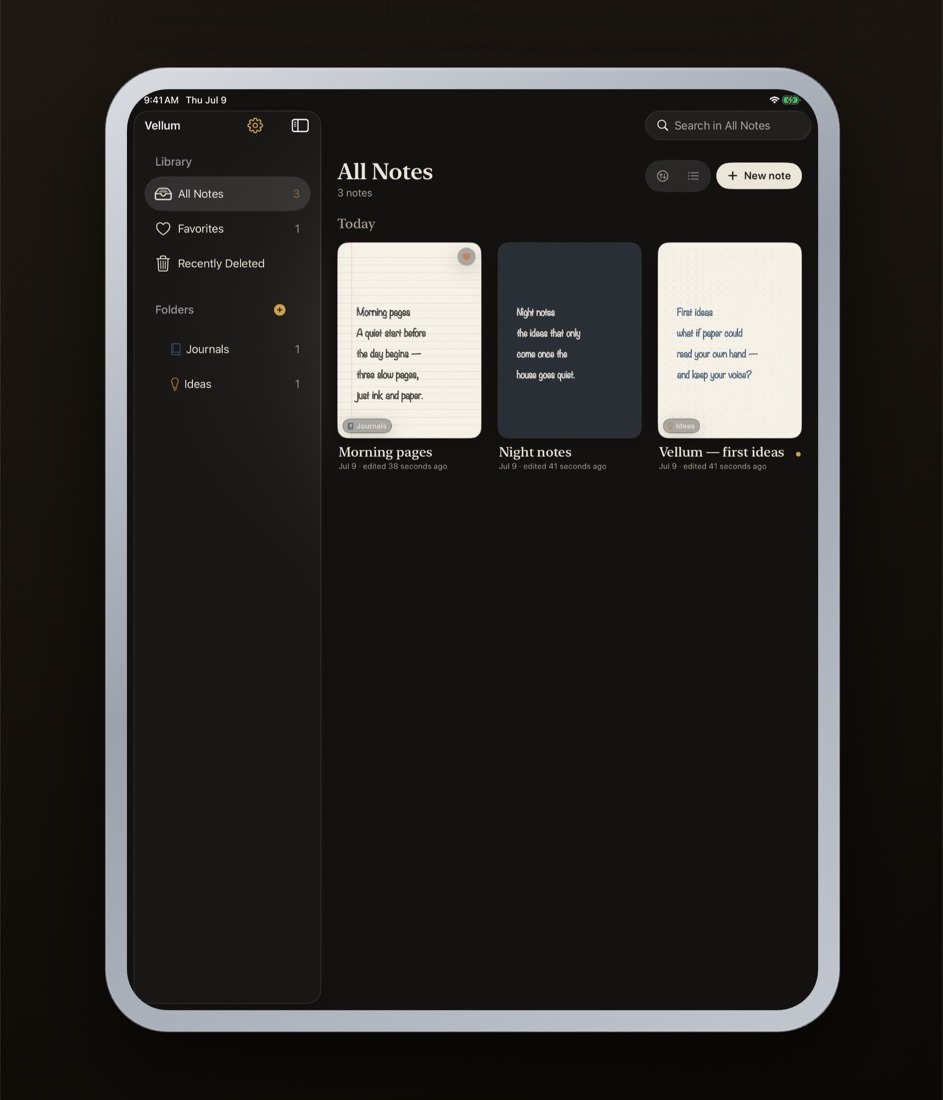
Folders, favourites and a 30-day trash, with a real thumbnail of the page you actually wrote — right down to the paper you chose for it.
Search reads your handwriting too: Vellum keeps the recognised text beside the strokes, so you can find a note by what's on it.
Polish
Your handwriting, read and tidied.
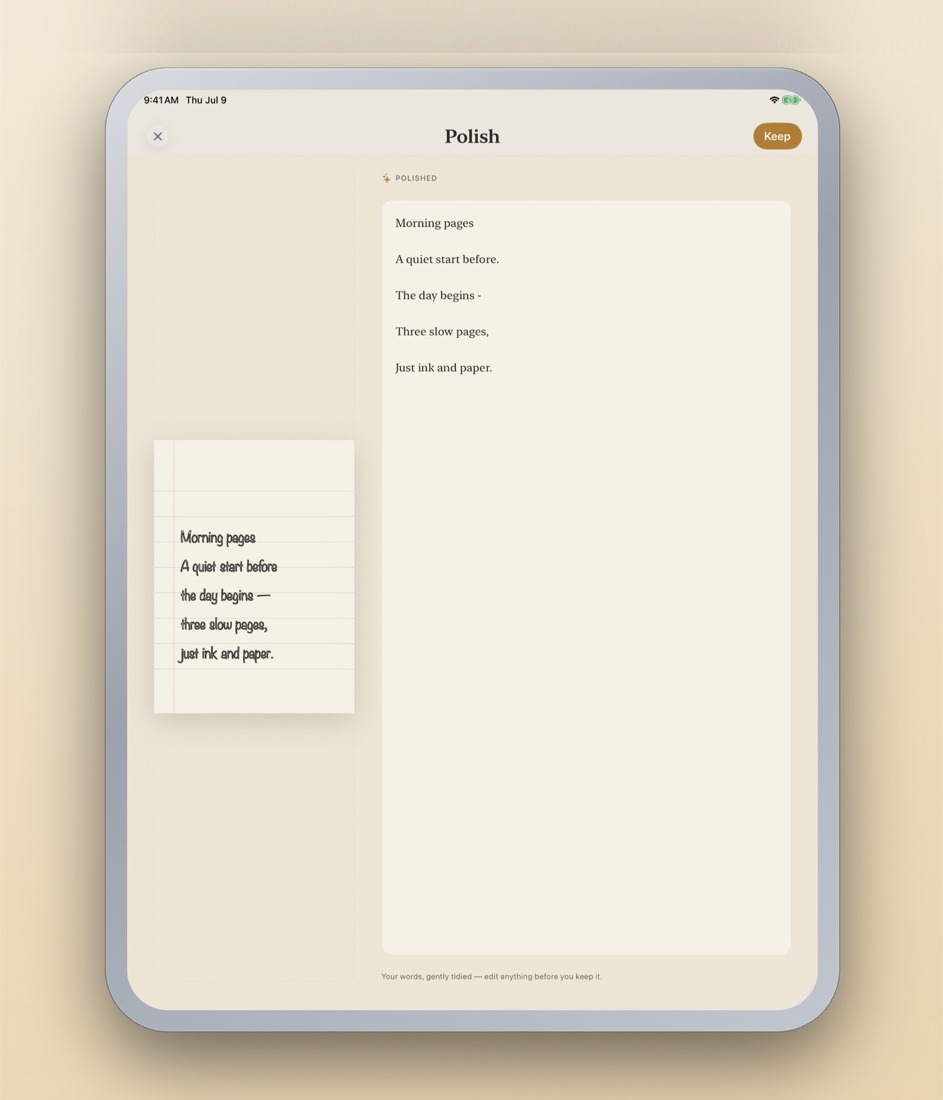
Vellum reads the page and gives you back clean prose that still sounds like you — then lifts out the tasks it finds, with the dates you wrote next to them.
On device. Your ink never leaves the iPad to be read. Nothing is uploaded, and you edit the result before you keep it.
Send
A clean copy, straight to your tools.
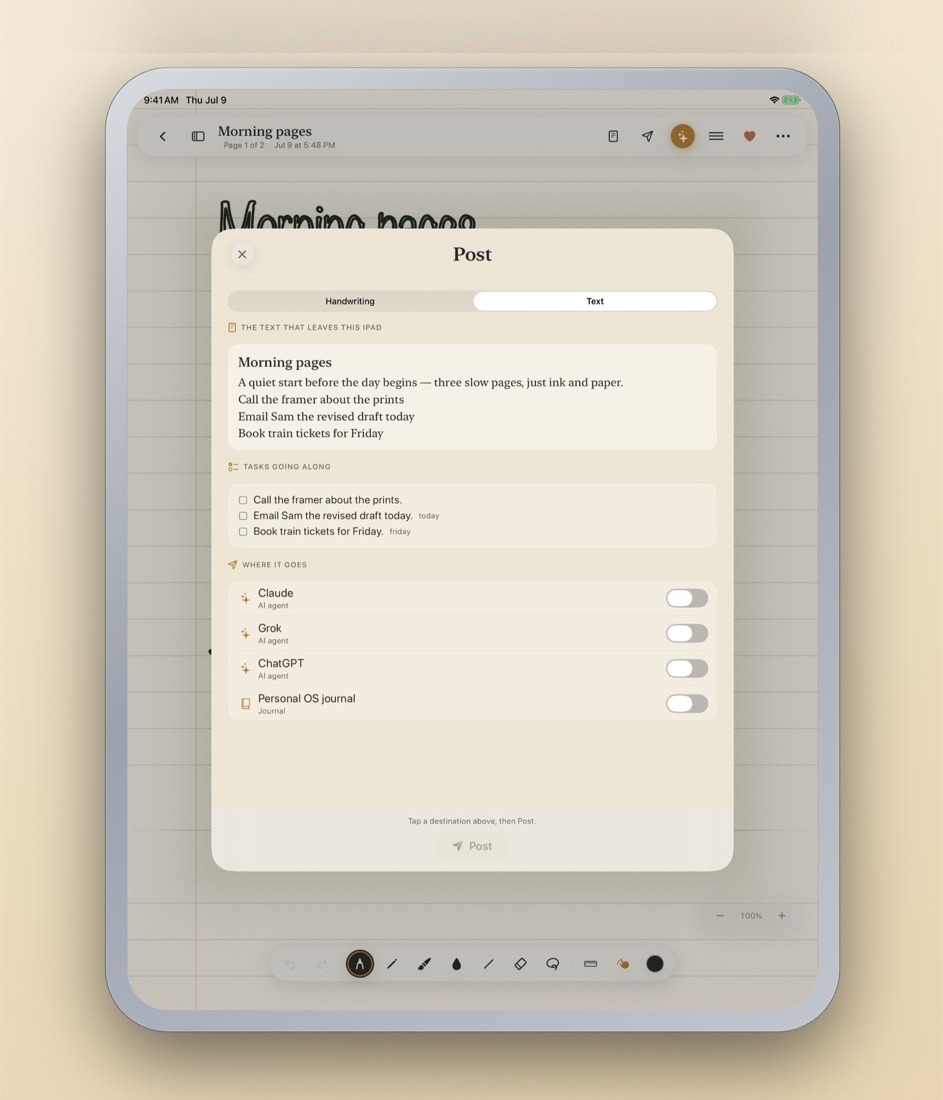
Post the text and its tasks onward — to Claude, Grok, ChatGPT, or your own journal. You see exactly what leaves the iPad before it goes, and you pick where.
Offline, it queues and drains on the next launch.
Templates
A ready-made page for the moment.
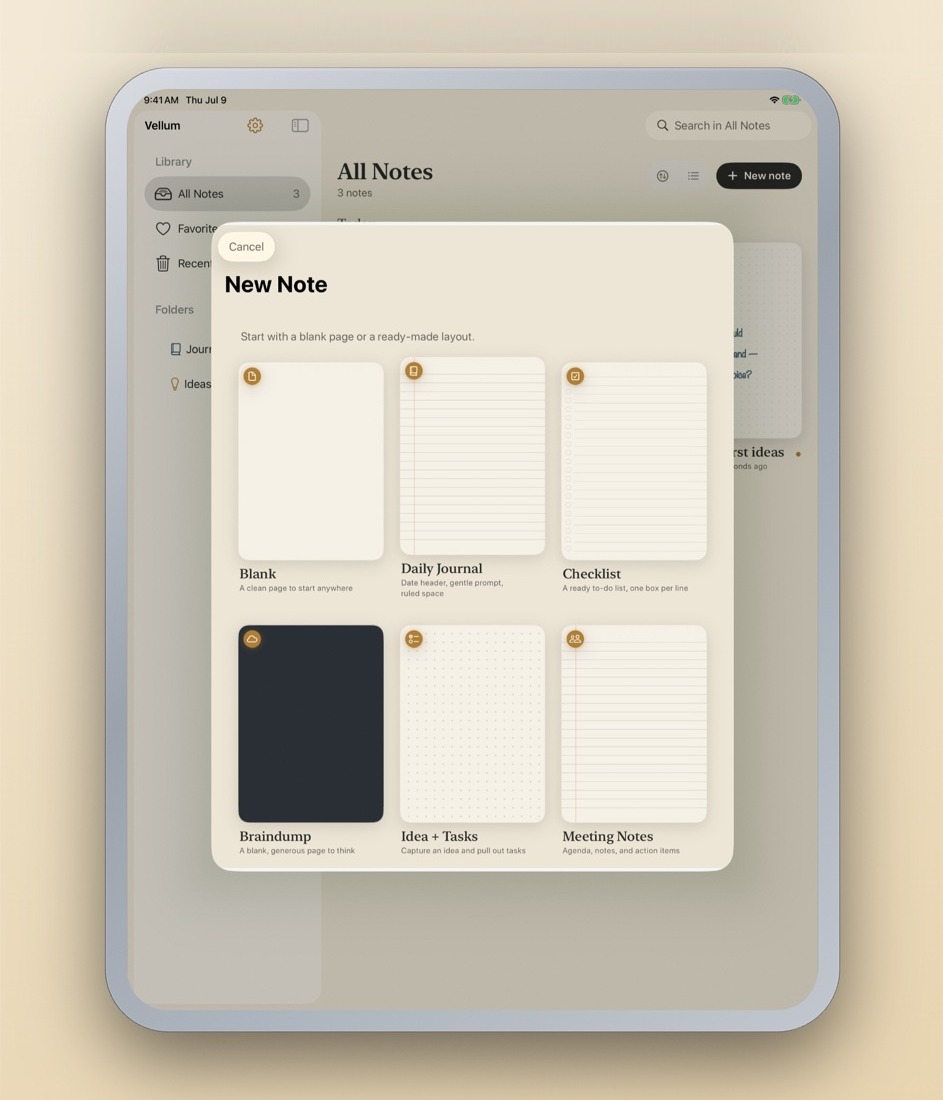
Start blank, or start somewhere: a daily journal with a date header and a gentle prompt, a checklist with a box per line, a meeting page with agenda and action items, a generous dark page to just think on.
After dark
Warm light for late pages.
Night mode dims everything around the work and leaves the work alone — each page keeps the paper you gave it, so a cream sheet is still cream at midnight.